Flowtic · Agentic workflow platform · Available now

Turn manual work into AI workflows

Connect your systems, websites and people in one workflow. AI does the reading and routing. People approve what matters.
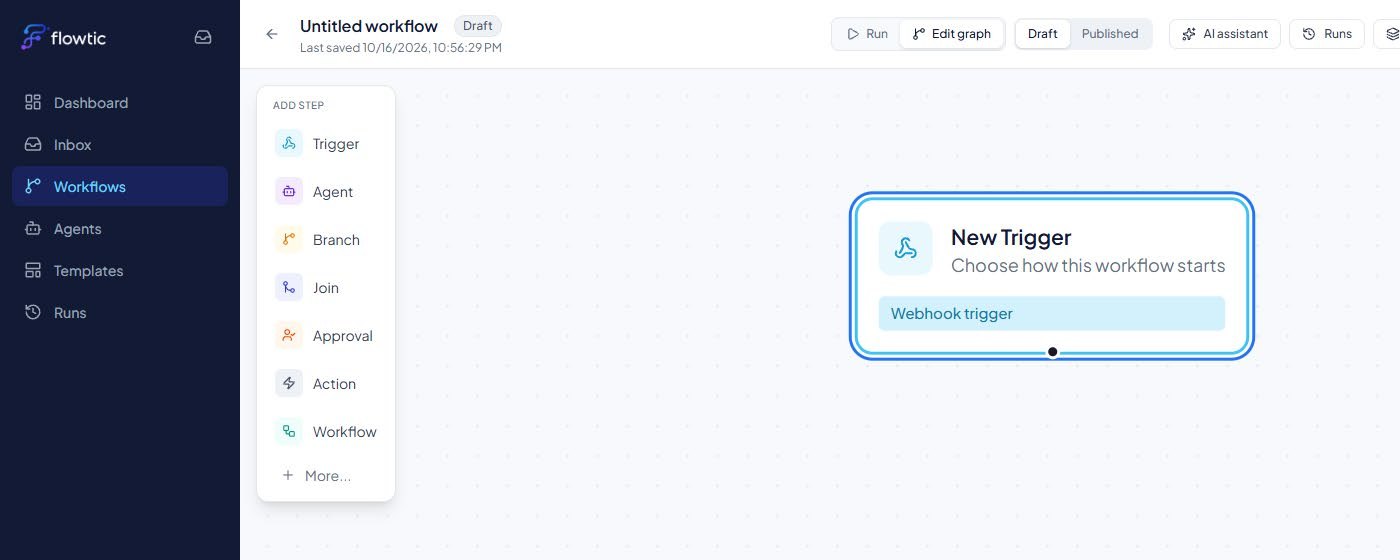
Flowtic visual canvas with the step palette and a webhook trigger
End-to-end automationPeople stay in controlBuilt in hours, not monthsYour data stays with you

How a workflow runs

Six building blocks. Combine them in any order.

  1. 01TriggerA webhook, form or file starts the run.
  2. 02AgentAI reads the input and returns structured output.
  3. 03BranchThe run takes a path based on the result.
  4. 04ApprovalA person reviews before it continues.
  5. 05ActionUpdate a system, send a message or call an API.
  6. 06WorkflowReuse another workflow as one step.

Design it on a visual canvas

Drag in steps, start from a template, or let the AI assistant draft the workflow for you. Test it, then publish.

Flowtic workflow canvas

Define an AI agent once, reuse it anywhere

Give it instructions, a clear output format and the tools it may use. Every agent is versioned and tested.
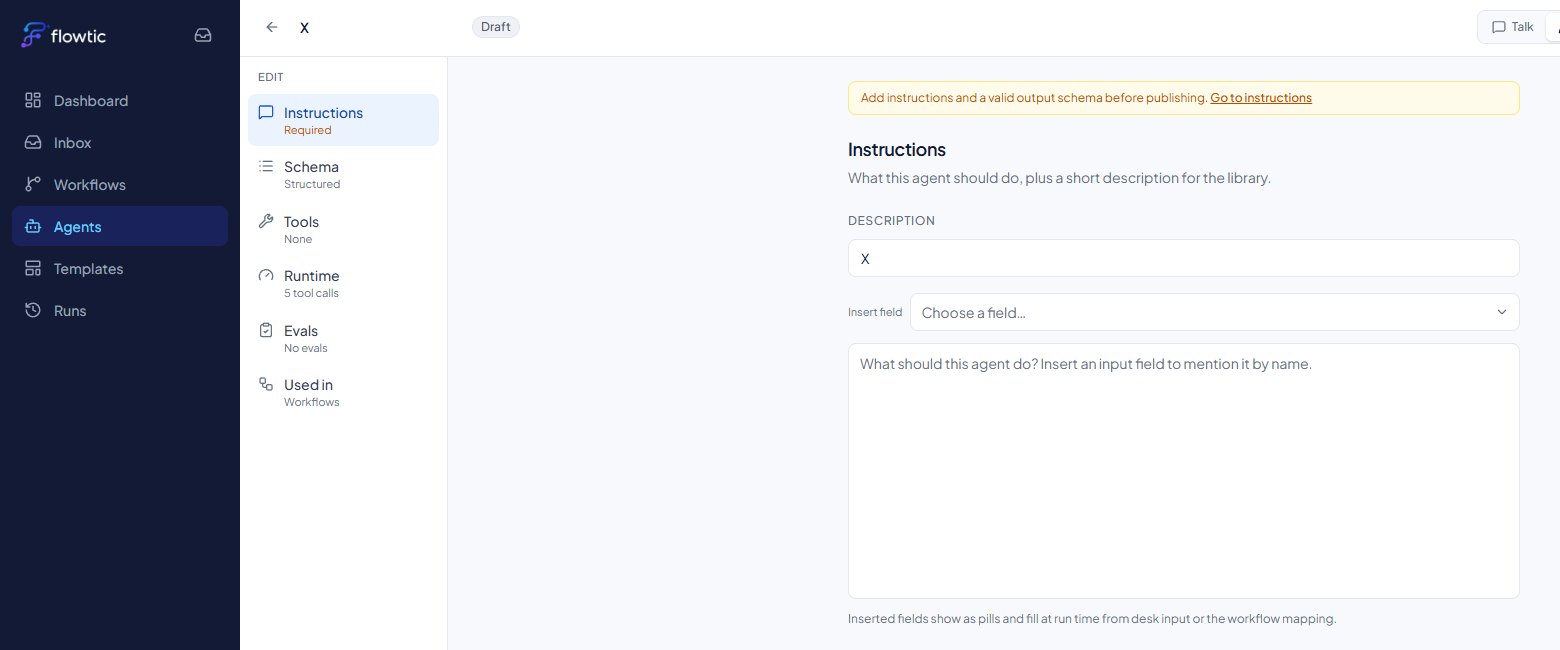
Flowtic agent editor

Nothing moves without a reviewer

Approvals land in one inbox. Track every run and its success rate on the dashboard.
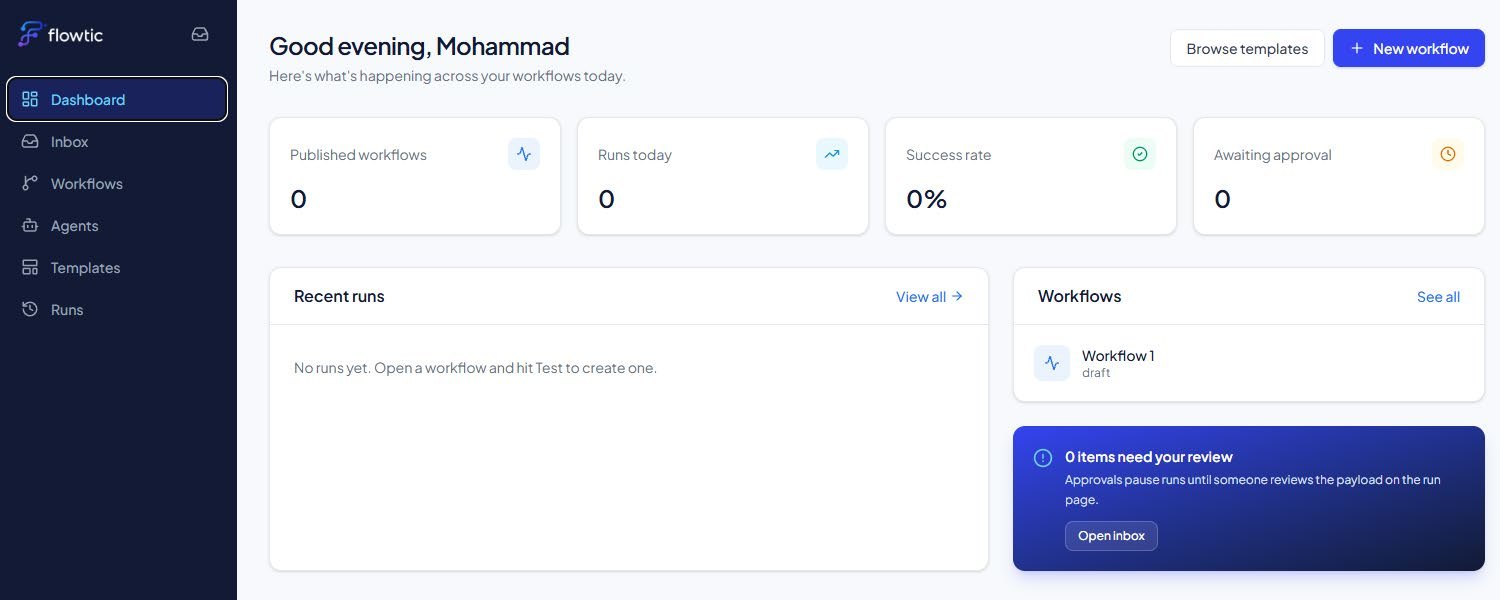
Flowtic dashboard

Inside Flowtic

Open Flowtic ↗
Start from the dashboard
Start from the dashboardPublished workflows, runs today, success rate and items awaiting approval.
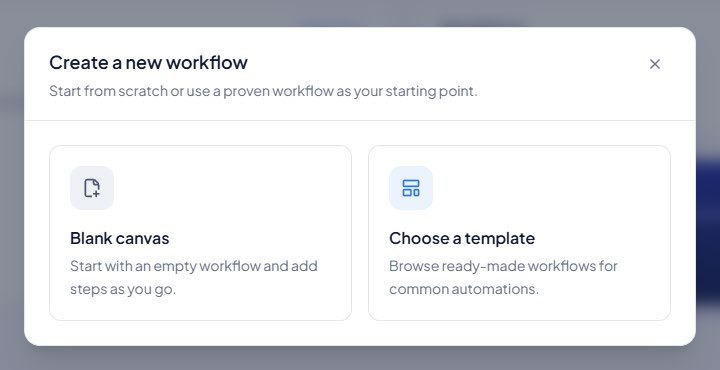
Blank canvas or template
Blank canvas or templateStart from scratch or from a ready-made workflow.
Design on a visual canvas
Design on a visual canvasAdd triggers, agents, branches, approvals and actions.
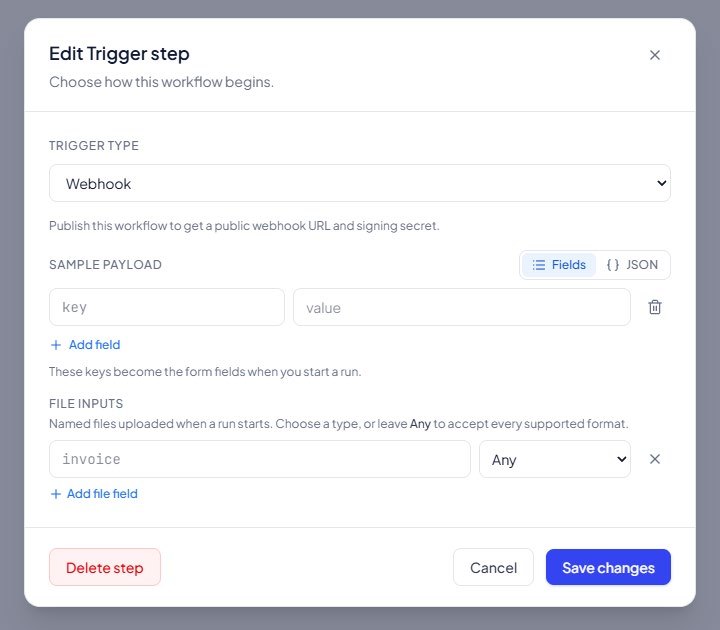
Configure the trigger
Configure the triggerA webhook with a sample payload sets up the inputs.
Define an AI agent
Define an AI agentInstructions, output format, tools, runtime and tests.

See it working on your process

Tell us the problem. We’ll show you what Zeej can do with it.